update husband & father name in aadhaar card

How to Add Husband/Father Name in Aadhaar Card Online: New 2025 UIDAI Rules

Are you confused about how to update your Aadhaar card after marriage? Perhaps you’ve noticed that the latest Aadhaar cards no longer explicitly say “Father” or “Husband.”

Whether you are a newlywed looking to update your address or a student needing to correct your father’s name for documentation, this guide simplifies the entire Aadhaar Card correction process. We cover the latest UIDAI website updates, the C/o (Care of) field transition, and how to get it done for just ₹50.

The “C/o” Rule: What has Changed in 2025?

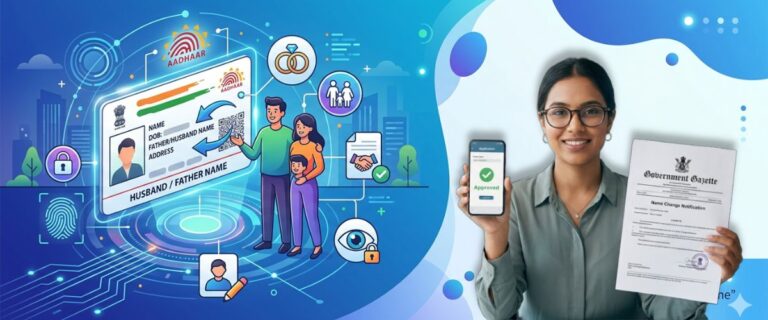
Before you start, there is one critical update you must know. UIDAI has replaced the “Father/Husband/Son/Daughter” labels with a universal “C/o” (Care of) field.

Previously, your card would say “W/o (Wife of) Ramesh Kumar.” Now, it will simply display “C/o Ramesh Kumar.” Why the change? This was done to respect privacy and simplify the database. When you Add Husband Name in Aadhaar Card, you are essentially updating the “Care of” section and the address simultaneously.

Pro-Tip: If your goal is only to show your relationship for address proof, updating the C/o field online is the fastest method.

Online Process: Updating Address & Relationship

You can update the husband’s or father’s name via the MyAadhaar portal if you have a valid Proof of Relationship (PoR) document.

Step-by-Step Guide:

  1. Login: Visit the official UIDAI website and click “Login” using your Aadhaar number and the OTP sent to your linked mobile number.
  2. Select Service: Click on “Address Update” and then select “Update Aadhaar Online.”
  3. The C/o Field: Proceed to the data field section. In the “Care of” box, type your husband’s or father’s name.
  4. Enter Address: Fill in the new address details accurately. The system will automatically translate the text into your local language.
  5. Upload Documents: Scan and upload a color copy of your Marriage Certificate (for husband) or Birth Certificate (for father).
  6. Payment: Pay the non-refundable fee of ₹50 via UPI, Debit/Credit card, or Net Banking.
  7. URN Tracking: Once successful, you will receive an Update Request Number (URN). Save this to track your status.

The HOF Method: No Marriage Certificate? No Problem

Many women face issues because they don't have a marriage certificate yet. UIDAI offers the Head of Family (HOF) based update. This allows you to update your Aadhaar using your husband’s or father’s Aadhaar card as proof.

How it works:

  • Select "Head of Family (HOF) based Address Update" on the portal.
  • Enter your husband’s Aadhaar number.
  • Upload a Self-Declaration (Form 1) signed by the HOF.
  • The HOF must then log into their own MyAadhaar dashboard within 30 days to "Accept" the request.

Offline Process: Changing Name or Surname

If you want to change your own surname (e.g., changing "Sneha Sharma" to "Sneha Verma") along with adding your husband’s name, you cannot do this online. Biometric verification is required.

  1. Locate your nearest Aadhaar Seva Kendra.
  2. Book an appointment online to save time.
  3. Fill out the Aadhaar Enrollment/Correction form.
  4. Submit a Gazette Notification or Marriage Certificate for a legal name change.
  5. Provide your biometrics (fingerprints/iris scan).
  6. Collect the acknowledgment slip.

Document Checklist for Husband/Father Name

Purpose Recommended Documents
Adding Husband Name Marriage Certificate, Passport, Ration Card (with both names).
Adding Father Name Birth Certificate, SSLC Marksheet, PAN Card.
Using HOF Method Self-Declaration Form, Ration Card, PDS Card.
Legal Name Change Gazette Notification, Divorce Decree (if applicable).

Fees and Processing Time

  • Online Fee: ₹50
  • Offline Fee: ₹50 (Address/Relationship only) or ₹100 (if Biometrics are involved).
  • Timeframe: Usually, the update reflects within 5 to 15 working days, though it can legally take up to 90 days.

Common Mistakes to Avoid

  • Mobile Not Linked: You cannot do any Aadhaar Card correction online if your mobile number isn't linked. Visit Kendra first to link it.
  • Poor Scans: Don't upload photos of photocopies. Upload original color scans to avoid "Document Rejected" errors.
  • Language Errors: Always double-check the local language translation in the portal. Sometimes "Smith" becomes something else in Hindi!
  • Names Not Matching: Ensure the husband's name you type matches exactly what is on his Aadhaar card if using the HOF method.

Related Topics for Further Reading

Conclusion & Next Steps

Updating your husband or father’s name in Aadhaar is no longer the headache it used to be. By using the C/o field and the MyAadhaar portal, you can complete the process from your living room.

Frequently Asked Questions

1. How can I perform an Aadhar Correction After Marriage to add my husband's name? +
You can update the "Address" field (which includes the 'Care of' or C/O section) on your Aadhaar. While the specific "Husband Name" field has been replaced by the "C/O" field, adding his name there along with your new address serves the same legal purpose for Aadhar Correction After Marriage.
2. Is it possible to Update Aadhaar Card details online to change the Father’s name to the Husband’s name? +
Yes, you can initiate the Update Aadhaar Card process through the MyAadhaar portal. You will need to update the "Address" section, where you can enter your husband’s name in the C/O (Care of) field and upload a valid marriage certificate as proof.
3. What documents are required for Aadhaar Card Correction regarding a name change? +
For adding a husband's name, a Marriage Certificate is the primary document. For adding or correcting a father's name, documents like a Birth Certificate, SSLC book, or Passport are typically required to Update Details on Aadhaar Card.
4. Can I add my father's name if it was left blank during the initial enrollment? +
Absolutely. You can request an Aadhaar Card Correction at any Aadhaar Enrolment Centre or online. You will need to provide a Proof of Relationship (PoR) document that clearly mentions your father's name.
5. How long does it take to Update Details on Aadhaar Card? +
Generally, once you submit your request for an Update Aadhaar Card, it takes anywhere from 5 to 30 days for the changes to reflect in the database. You can track the status using your Update Request Number (URN).
6. Is a marriage certificate mandatory for Aadhar Correction After Marriage? +
While a marriage certificate is the most widely accepted document, UIDAI also accepts other proofs such as a Chimandgram/Ward Counselor certificate or a Marriage Registration certificate issued by the Registrar of Marriages.
7. Why is there no specific "Husband Name" column in the new Aadhaar format? +
UIDAI has streamlined the process by using the C/O (Care of) field. This field is inclusive and can be used to mention the Father, Mother, Husband, or Guardian’s name during an Aadhaar Card Correction.
8. Can I update my father's name on my Aadhaar card after I turn 18? +
Yes. Age is not a barrier to Update Details on Aadhaar Card. If there is a spelling error or your father's name is missing, you can correct it at any time with valid identity and relationship proofs.
9. What is the fee to Update Aadhaar Card for name or address changes? +
For online updates, the fee is usually ₹50. If you visit an Aadhaar Seva Kendra for a physical Aadhaar Card Correction, the fee remains the same for demographic updates, though biometric updates may cost more.
10. My marriage certificate has my maiden name; will it work for Aadhar Correction After Marriage? +
Yes, the marriage certificate is used specifically to prove the link between your maiden identity and your new status. It is the standard document used to Update Details on Aadhaar Card following a wedding.
Call Us